Screening tab and screening questions: review new applications separately

What it is

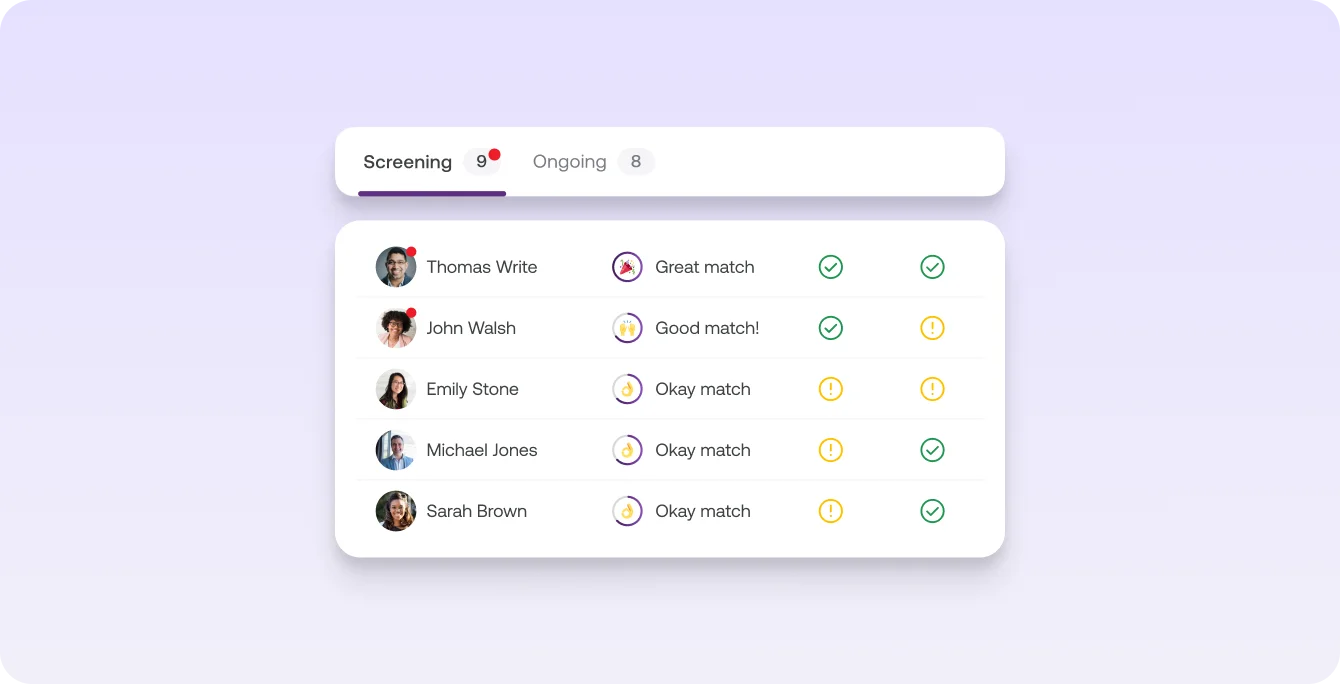
New applications land in each job's Screening tab, apart from ongoing processes. Screening questions bring the key facts with them.

Who it's for:
Recruiting and HR teams, hiring managers and founders who review applications and make the first decisions
Screening tab and screening questions: review new applications separately

What you get

  • Focus on new applications, without ongoing conversations getting in the way
  • Compare the hard facts of several people at a glance and decide faster who gets an interview
  • Skip the follow-up questions: you see the answers to your screening questions right in the application

How Screening works

The Screening tab gives you a table overview, built for a quick check: compare hard facts, assess talent, make first decisions.

  • New and ongoing applications are separate. Screening only shows what's still waiting for your first decision.
  • Unreviewed applications are marked. You can spot who's new at a glance.
  • All details in view. Open an application, make your decision and move straight on to the next one.

Screening questions give you the key facts up front

When you create a job, the "Screening questions" step lets you choose what talent answers when they apply, such as salary expectations, start date or CV. You see the answers right in the application.

What else Screening does

  • Select several people or a whole group and accept or reject them together.
  • The Recruiting Agent checks every new application with AI Screening and pre-sorts talent into two groups.

Learn more

Screening only shows the applications that still need your first decision.

  • Open an application, decide and move straight on to the next
  • With screening questions you get salary expectation, start date and CV with the application
  • You see the answers in the talent's profile, so you don't have to ask

You'll find it in every job under "Screening".

Read more in the Help Center

Frequently asked questions

Where do I find new applications on Instaffo?

In your job's Screening tab. All new applications that are still waiting for your first decision land there.

What is Screening on Instaffo?

Screening is a table overview of new applications. You compare hard facts, assess talent and make first decisions there.

How do I spot unreviewed applications on Instaffo?

Unreviewed applications are marked in Screening, so you can see who's new at a glance.

What else can Screening on Instaffo do?

You can handle several people at once and accept or reject them together. The Recruiting Agent also pre-sorts new applications with AI Screening.

Find your next talent with Instaffo

Talentkarte eines Senior Financial Analyst auf Instaffo mit Button zum Jobvorschlag