
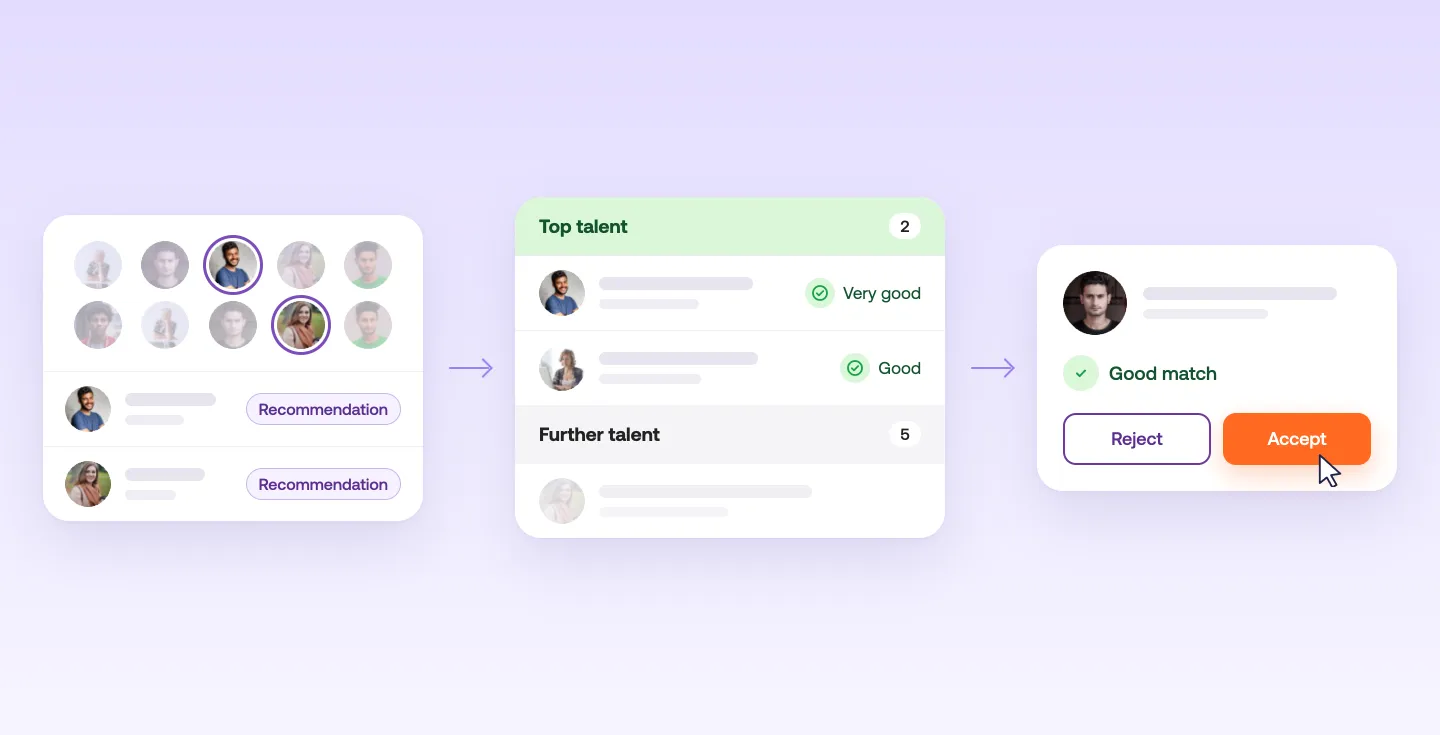
How the Recruiting Agent works
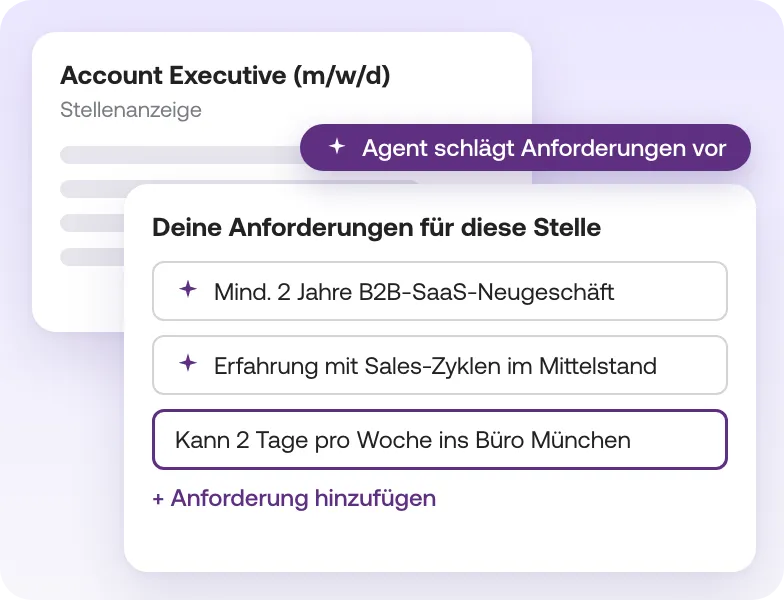
1. Set your requirements
It all starts with your requirements for the job. The Recruiting Agent reads your job ad and suggests matching requirements, for example "At least two years of B2B SaaS new business". Keep them, change them or add your own. As soon as you save, it gets to work.
2. Recommendations from the talent pool
The Recruiting Agent searches the talent pool for talent that matches your requirements. You'll find the recommendations right in your screening, in one list with your applications.
The detail view shows the profile and a short summary of why the person fits. If you like what you see, send a request to invite them. Once they accept, it becomes a regular application. Because recommended talent is already pre-checked against your requirements, you can usually jump straight into a conversation.
"The recommendations include some really interesting profiles. By now they're even more tailored to each specific job."
MA Marco Andris, Lead Talent Sourcer, Lexware (translated from German)
"In my day-to-day work I often don't have time to search actively. That's why I find the recommendations helpful: I simply go through the suggested profiles during screening."
RS Robin Schultes, HR/Recruiting, HvS-Consulting (translated from German)
3. AI Screening in two steps
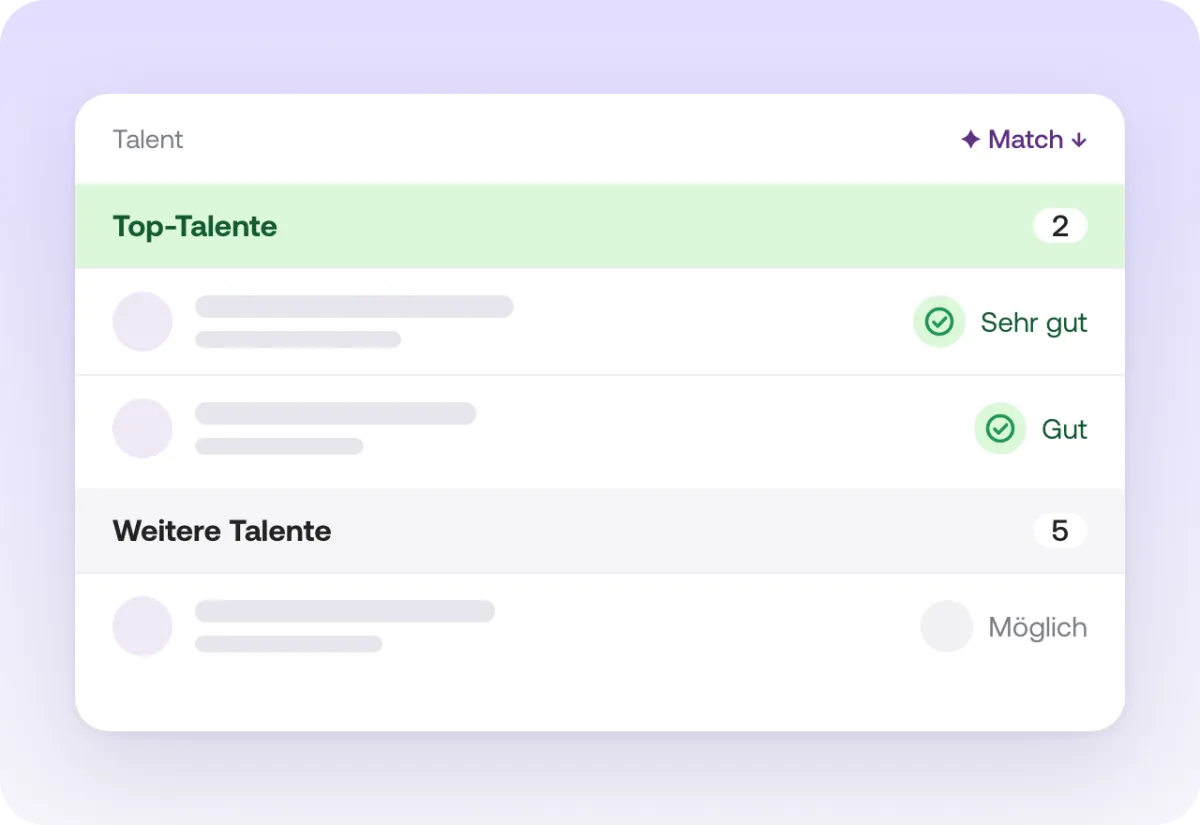
The Recruiting Agent checks every new application and every recommendation in two steps:
- First, it looks at location, language and must-have skills.
- Then the AI compares the full profile with your requirements.
Each person ends up in one of two groups: "Top talent" or "Further talent". For every person you see which requirements they meet. Each assessment is backed by the matching passage in the CV, one click takes you there. So when you open your screening, you know right away where to start.
"I can set up the criteria I actually base my decisions on. Every assessment is backed by the relevant passage in the CV, so I can follow it in seconds."
LP Leon Puhl, Recruiting Manager, ALL IN Group (myposter) (translated from German)
4. Fine-tune your requirements
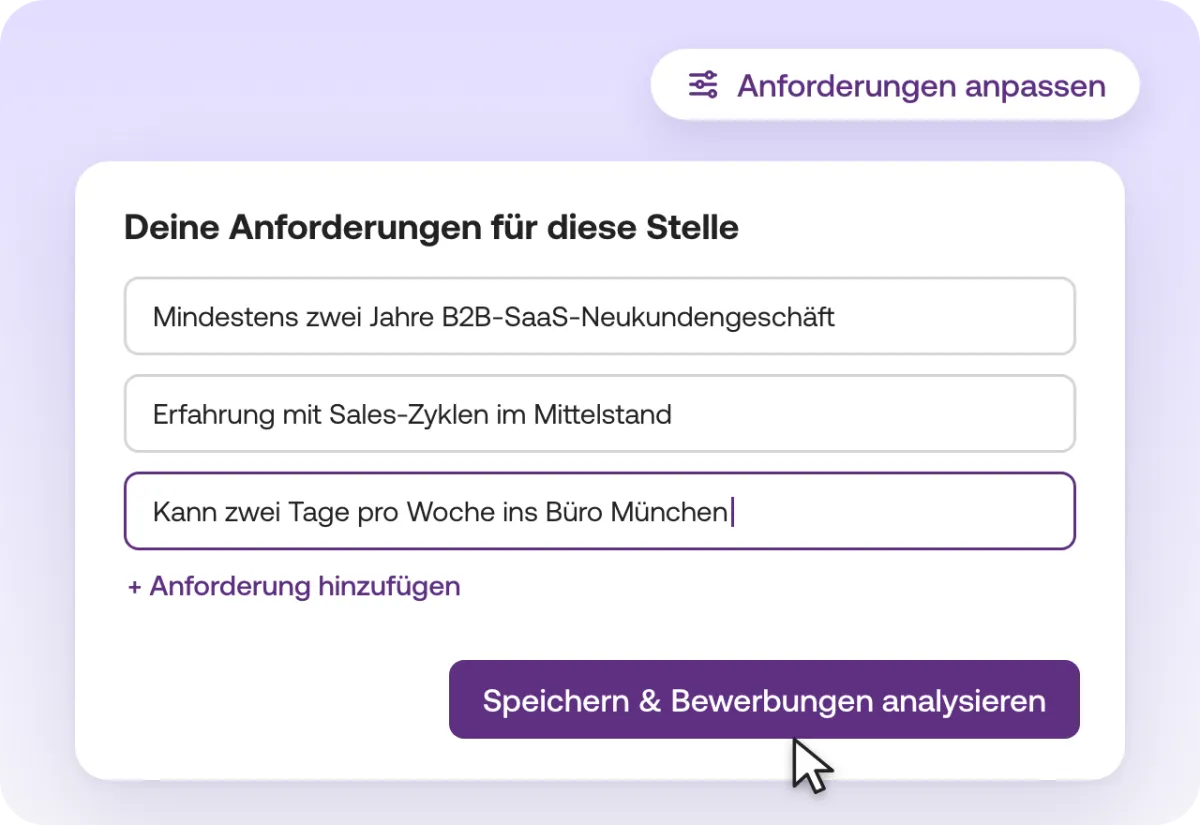
If the pre-selection doesn't quite match what you're looking for, click "Adjust requirements" in your job's Screening tab and sharpen them there. The Recruiting Agent then re-assesses all talent.
"Having talent pre-prioritized by my requirements is worth its weight in gold. And the evidence from the profile makes for good references."
MN Michal Nahmani, HR & Marketing Lead, spheos (translated from German)
5. Work on several people at once
In your screening, select several people, or a whole group with one click. Accept or reject the selection together. Write the rejection once, and Instaffo fills in the names.
