Message templates for chat, rejections and the Talent Feed

What it is

Save texts you write often as templates for chat, rejections and the Talent Feed.

Who it's for:
Teams that often write similar messages, rejections or suggestions to talent
Message templates for chat, rejections and the Talent Feed

What you get

  • Reply faster, because you write standard texts only once
  • Make sure your team uses the same texts
  • Insert templates right in the chat, for example to share your calendar link

How message templates work

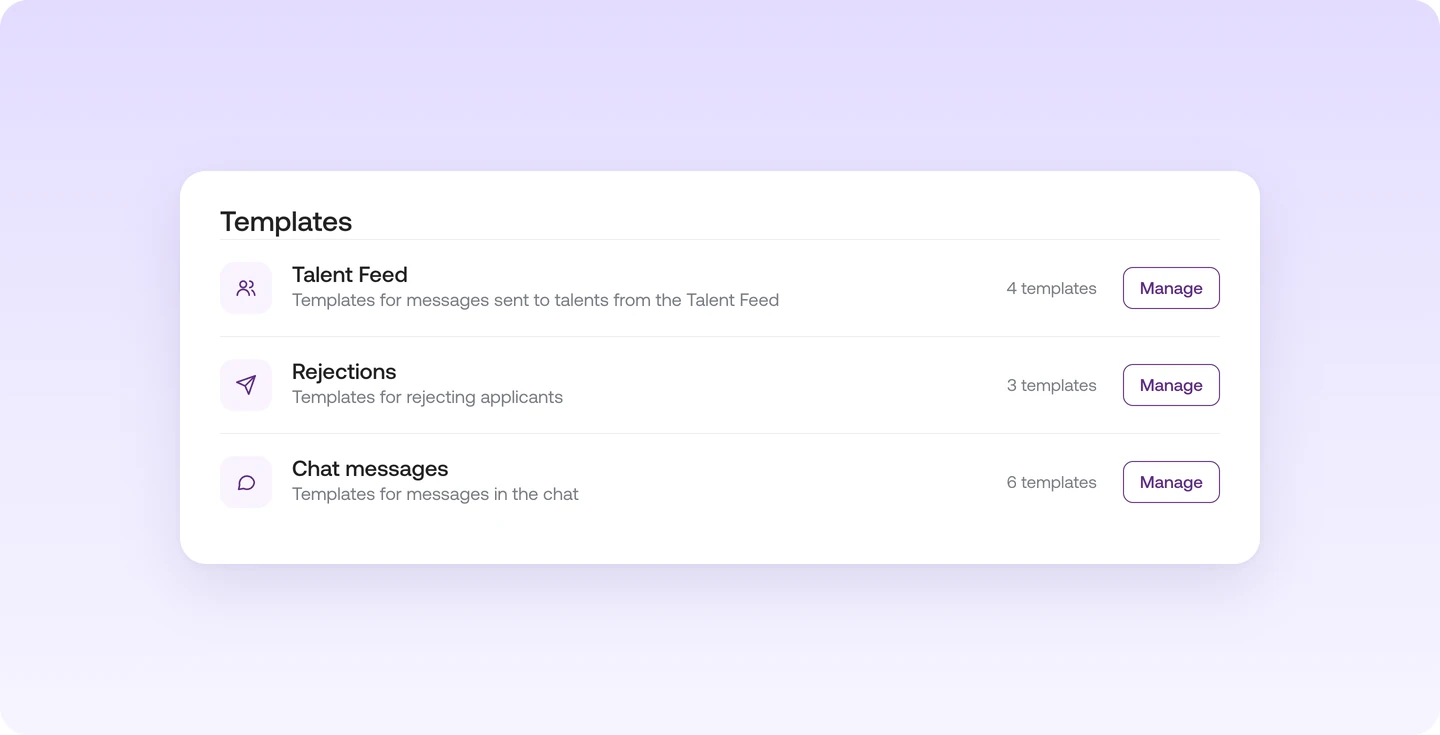
There are three kinds of templates: for suggestions in the Talent Feed, for rejections and for chat messages. You manage all three in Settings under "Templates", each with its own "Manage" button.

  • Placeholders fill themselves in. Put [First name] or [Job title] into a template, for example. When you send it, Instaffo adds the name and the job.
  • You can create templates while you write. When you reject someone or suggest your job in the Talent Feed, tick "Save this message as a template" and give it a title.
  • In the chat, every template is one click away. Open your templates, pick a text and add it to the message field with "Apply". You can still edit it before sending.

One set of templates for your whole company

Every template applies to everyone in your company. If someone on your team creates a rejection template, it's ready for you the next time you reject someone.

Learn more

With templates, you write standard texts only once.

  • Insert chat templates right in the chat, for example to share your calendar link
  • Save a rejection or a Talent Feed suggestion as a template while you write it
  • Give every template a name so you find it again quickly
  • Templates apply to your whole company

You'll find it in Settings under "Templates".

Read more in the Help Center

Frequently asked questions

Where do I create message templates on Instaffo?

In Settings under "Templates". There's one section each for the Talent Feed, rejections and chat messages.

Can my whole team use the same templates on Instaffo?

Yes. Templates apply to your whole company, so everyone sees and uses the same texts.

Which placeholders can I use in templates on Instaffo?

For example [First name], [Last name], [Job title], [Author first name] and [Author last name]. Instaffo fills them in when you send the message.

How do I use a template in the chat on Instaffo?

Open your templates in the chat, pick the text and add it to the message field with "Apply". You can still edit it before sending.

Is the first chat message on Instaffo one of the templates?

No. You set the first chat message per job, under "First chat message" when you edit the job.

Find your next talent with Instaffo

Talentkarte eines Senior Financial Analyst auf Instaffo mit Button zum Jobvorschlag