Job page: job ad, applications and ongoing processes in one place

What it is

Every job has its own page: job ad, new applications and ongoing processes in three tabs.

Who it's for:
Recruiting and HR teams, hiring managers and founders who look after several jobs at once
Job page: job ad, applications and ongoing processes in one place

What you get

  • See right away where something is waiting for each job, and get to the open task in one click
  • Edit the job ad right next to its applications
  • Stay on the same step: switch jobs and you land on the same tab, for example in screening

How the job page works

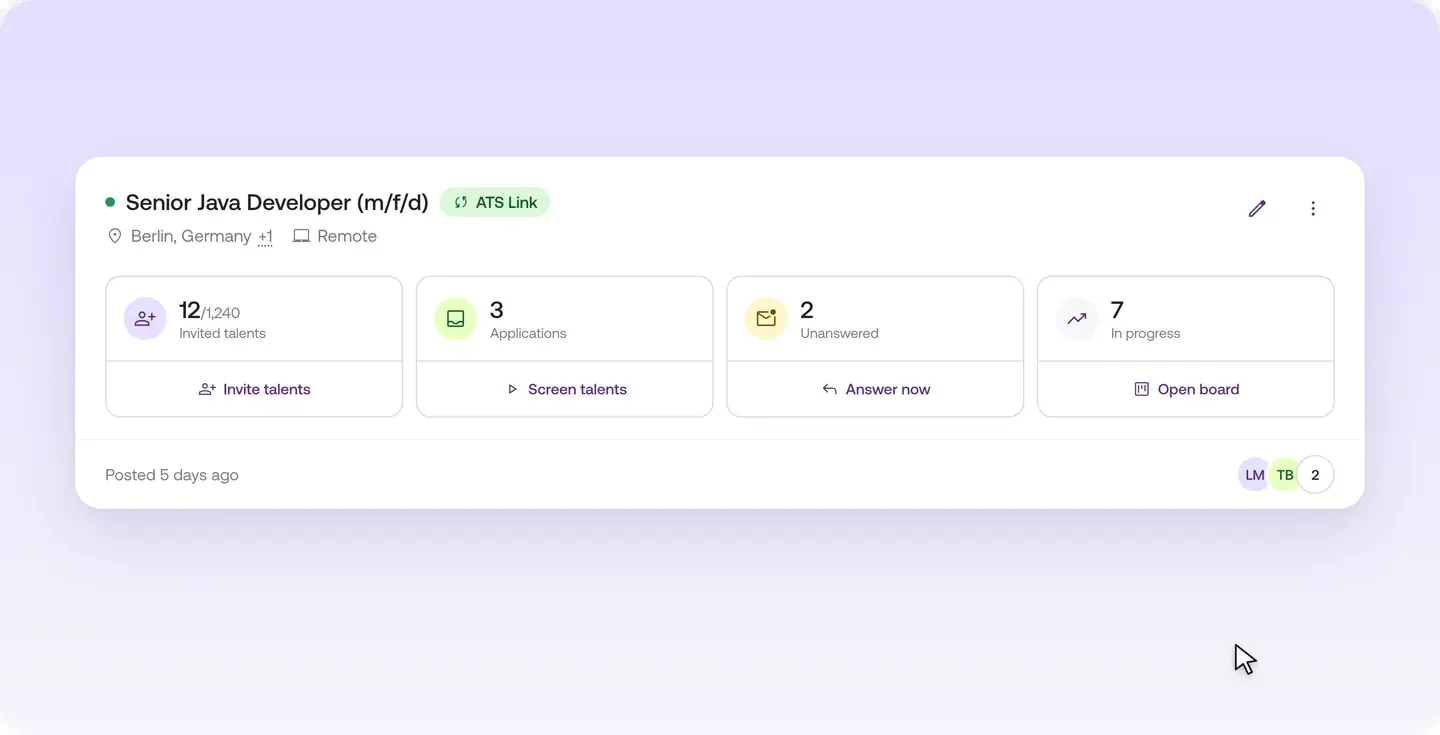
Job cards show you where work is waiting

Under "Jobs", every job has its own card. Four tiles on the card show you where work is waiting. Click a tile to go straight there.

Three tabs per job

When you open a job, you'll find three tabs:

  • Job details: see the preview of your job and edit it right there.
  • Screening: this is where new applications land.
  • Ongoing: this is where running processes live.

The Recruiting Agent also works in the "Screening" tab: use "Adjust requirements" there to change how it pre-sorts talent.

Switch jobs, stay on the same tab

The job name sits in the breadcrumb at the top. Click it to switch to another job and stay on the same tab. If you're screening one job, for example, you land in the screening of the next job after switching.

Learn more

Every job has its own page where everything comes together.

  • The job cards show you where work is waiting, and one click takes you there
  • You edit the job ad right next to its applications
  • Switch to another job and stay on the same step, for example in screening

You'll find it under "Jobs".

Read more in the Help Center

Frequently asked questions

Where do I find everything about a job on Instaffo?

Every job on Instaffo has its own page. It bundles the job ad, new applications and ongoing processes.

What tabs does a job have on Instaffo?

Every job has three tabs. "Job details" lets you view and edit your job, "Screening" collects new applications and "Ongoing" holds running processes.

How do I switch between jobs quickly on Instaffo?

Click the job name in the breadcrumb at the top and pick another job. You stay on the same tab.

Can I edit my job ad directly on Instaffo?

Yes. The "Job details" tab shows the preview of your job, and you edit it right there.

How do I see which job has work waiting?

Under "Jobs", each job card shows four tiles with where work is waiting. One click takes you straight there.

Find your next talent with Instaffo

Talentkarte eines Senior Financial Analyst auf Instaffo mit Button zum Jobvorschlag