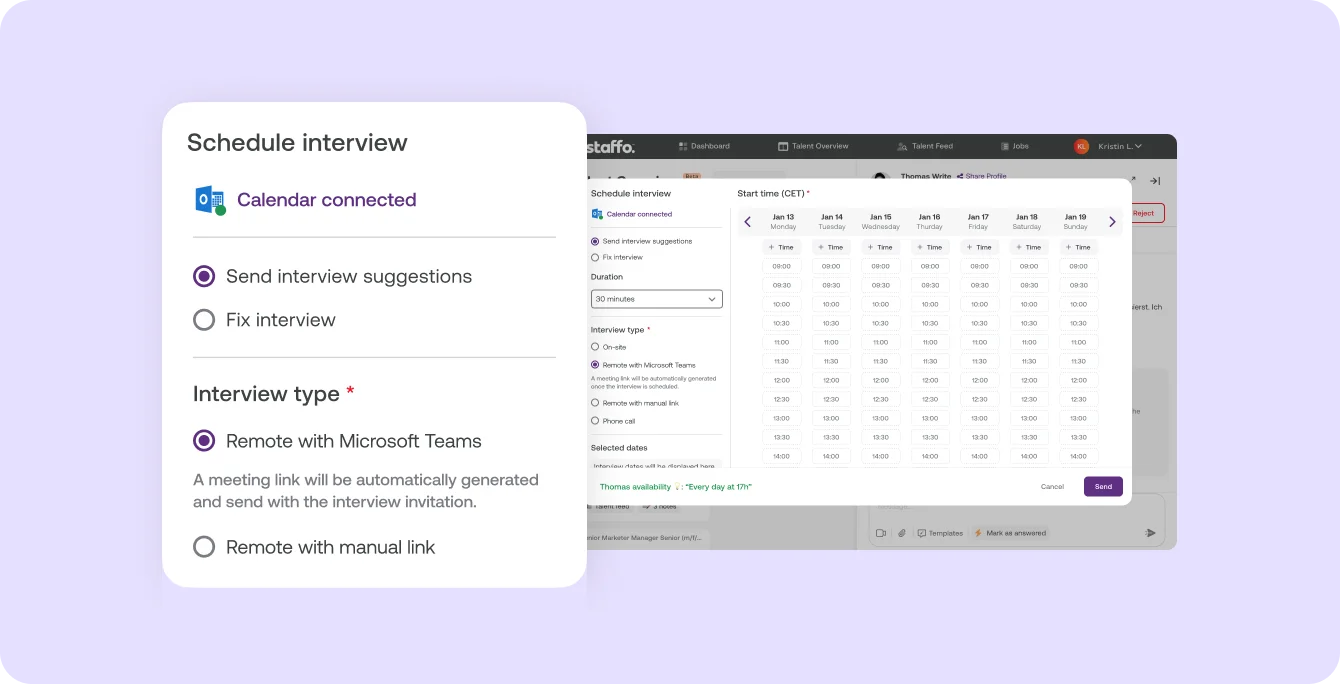
Interview scheduling with Outlook and Google Calendar: time slots and meeting link

What it is

Schedule interviews right in Instaffo, connected to your Outlook Calendar or Google Calendar.

Who it's for:
Everyone who schedules interviews with talent on Instaffo and works with Outlook or Google Calendar
Interview scheduling with Outlook and Google Calendar: time slots and meeting link

What you get

  • Skip the back-and-forth by email: the talent picks a slot with one click
  • Interview in your calendar automatically: Instaffo adds the date
  • A reminder for both of you the day before the interview

How to schedule interviews in Instaffo

First, connect your calendar once: in Settings under "Interview scheduling", pick Outlook Calendar or Google Calendar. After that, you schedule every interview right from the application.

  • Send date suggestions or fix the interview. Send the talent several slots to pick from, or fix a date you've already agreed on.
  • Choose the interview type. On-site with an address, by phone or remote. For remote interviews, Instaffo creates the link in Microsoft Teams or Google Meet, or you add your own link.
  • Set the duration. You choose how long the interview takes.

Once the date is set

When the date is set, you see the talent's contact details. The day before the interview, you both get a reminder.

Learn more

Connect your Outlook Calendar or Google Calendar and schedule interviews right in Instaffo.

  • Send time slots, and the talent picks one with a click
  • Fix a date, and the talent gets the invite right away
  • For remote interviews, the meeting link is created automatically and sent with the invite
  • You both get a reminder the day before the interview

You'll find it in Settings under "Interview scheduling".

Read more in the Help Center

Frequently asked questions

Which calendars does interview scheduling on Instaffo work with?

Outlook Calendar and Google Calendar. You connect your calendar in Settings under "Interview scheduling".

How do I send a talent time slots on Instaffo?

Choose "Send interview date suggestions" when you schedule and add several dates. The talent picks one with a click.

Does Instaffo create the meeting link for remote interviews?

Yes. If you choose Microsoft Teams or Google Meet, the meeting link is created automatically and sent with the invite. You can also add your own link.

Do I get a reminder before an interview on Instaffo?

Yes. The day before the interview, both you and the talent get a reminder.

When do I see a talent's contact details on Instaffo?

As soon as you've agreed on an interview date.

Find your next talent with Instaffo

Talentkarte eines Senior Financial Analyst auf Instaffo mit Button zum Jobvorschlag