Export statistics: your jobs' pipeline numbers as an Excel file

What it is

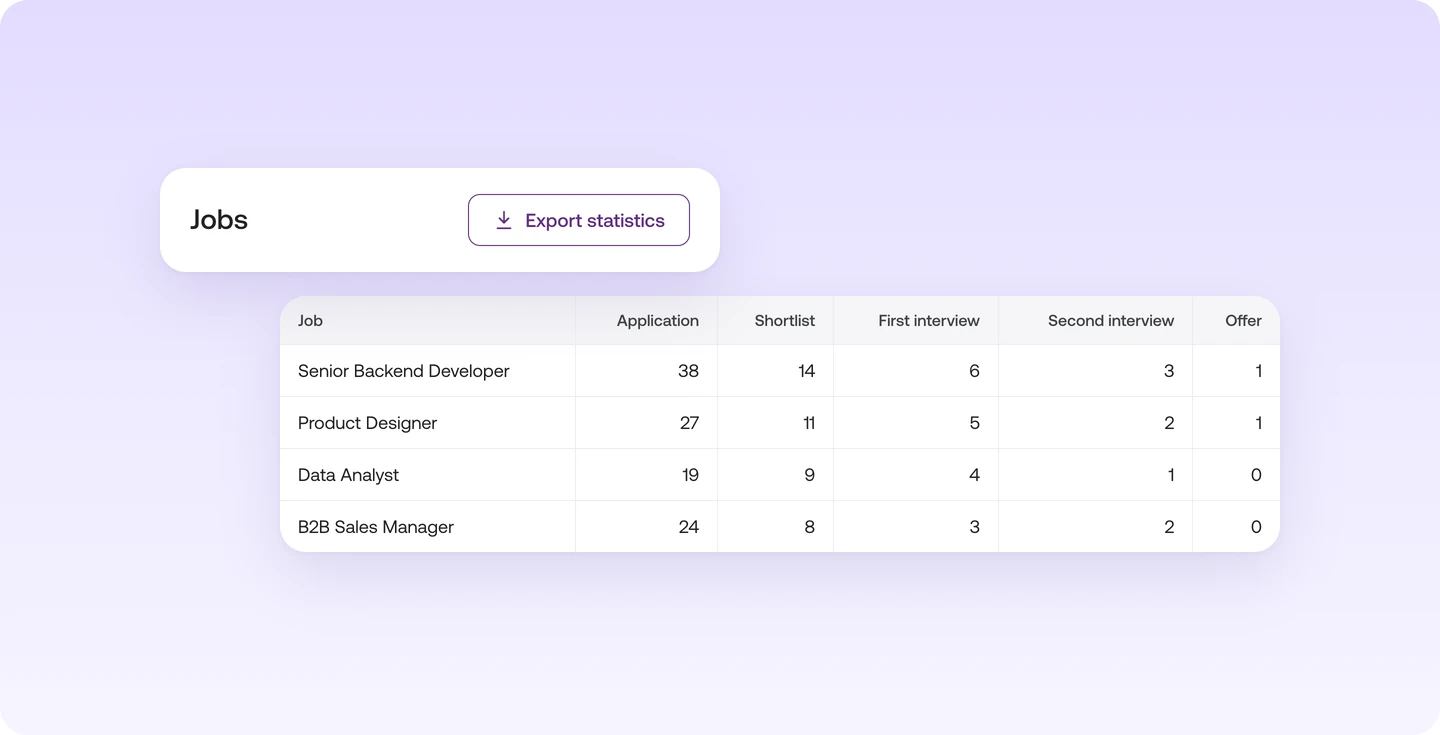
With "Export statistics" you download your jobs' pipeline numbers as an Excel file.
Who it's for:
Everyone who reports on their jobs to their team or management
Export statistics: your jobs' pipeline numbers as an Excel file

What you get

  • Share the status with your team or management, no screenshots needed
  • Spot the stage where many talents get stuck
  • Filter and analyse the numbers right in the spreadsheet

How to export your statistics

One click gets you the numbers for your jobs in one spreadsheet.

You'll find it under "Jobs" via "Export statistics".

One click gets you the numbers for your jobs in one spreadsheet.

  • Share the status with your team or management
  • Spot the stage where many talents get stuck
  • Filter and analyse the spreadsheet right away

You'll find it under "Jobs" via "Export statistics".

Read more in the Help Center

Frequently asked questions

Find your next talent with Instaffo

Talentkarte eines Senior Financial Analyst auf Instaffo mit Button zum Jobvorschlag