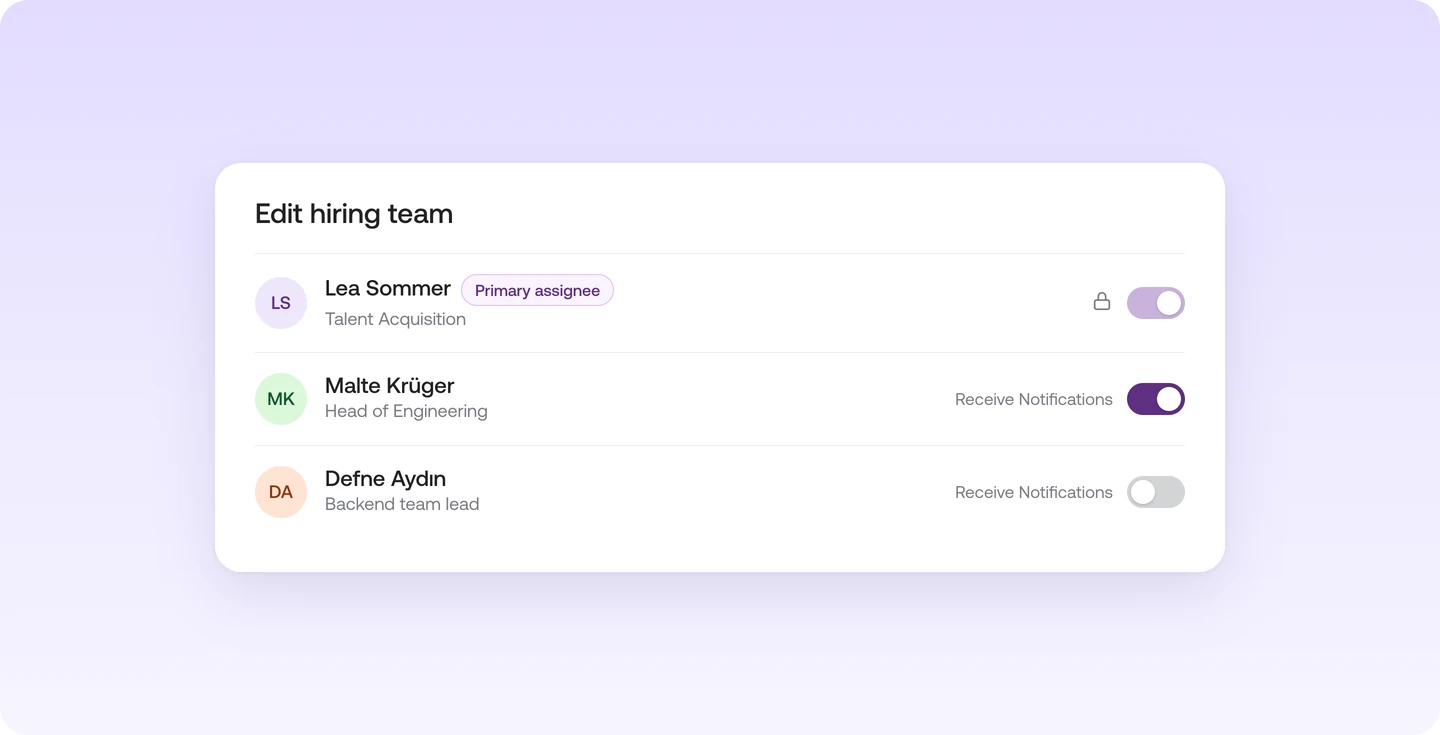
Notifications in the hiring team: on or off for each person

What it is

You decide for each person in the hiring team whether they get notifications.

Who it's for:
Hiring teams with several people, some of whom only check in now and then
Notifications in the hiring team: on or off for each person

What you get

  • Bring colleagues in without sending them an email for every new message
  • Nothing gets missed: the primary assignee is always notified

How notifications in the hiring team work

Your whole hiring team sees the talents for a job and can work with them. You decide per person whether they get notifications about messages and talents.

You'll find it under "Hiring team" when you edit your job.

Your whole hiring team sees the talents for a job and can work with them.

  • Decide per person whether they get notifications about messages and talents
  • People who only check in now and then don't get emails they don't need
  • The primary assignee always gets notifications, so nothing gets missed

You'll find it under "Hiring team" when you edit your job.

Read more in the Help Center

Frequently asked questions

Find your next talent with Instaffo

Talentkarte eines Senior Financial Analyst auf Instaffo mit Button zum Jobvorschlag